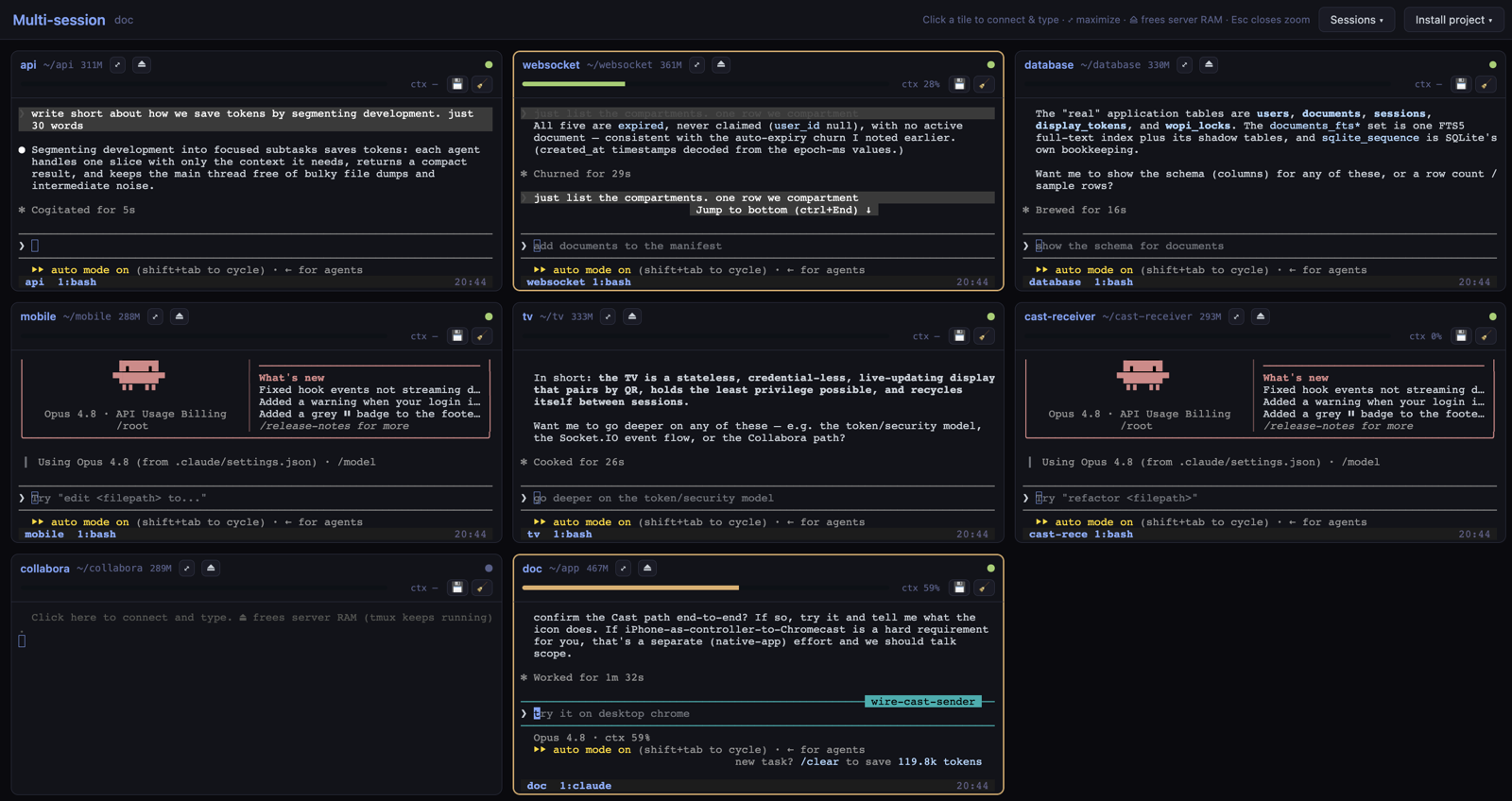
To help you build more secure, more stable applications as you update code — and save tokens while you do — you can use Tenka Cloud's Multiview sessions. They're designed to keep each Claude Code session small and cheap, and to keep your project out of one giant file where a single error could take down the whole app.
Why Multiview
On Tenka Cloud you run one app per VM, and you can organise that app into compartments — small folders under app/ (say app/auth/ for anything security-sensitive, app/core/ for features). Multiview lets you open each compartment as its own focused Claude Code session, side by side in a grid.
A few nice things follow from that:
app/auth/, and commit each compartment separately.Watching your context
Every session shows how full its context is with /context, and you can check spend with /cost. In the Multiview above, one session is already around 59% — and by then it's re-sending quite a lot on every turn.
To save tokens, you can reset a session while it's still small — somewhere around 20–25% is a comfortable point, rather than waiting for it to fill up. It feels early, but that's really where the savings are.
Using auto memory
Claude Code keeps a persistent memory across sessions, and it reads your CLAUDE.md files at the start of each one — so a fresh session can pick up where you left off.
x") and it saves that to memory for you.CLAUDE.md, which loads automatically./memory any time to see or tidy what's stored.Getting ready for /clear
When a session gets heavy, a nice way to reset is to save the important bits to files first. You can ask Claude something like:
> "Write the current state and open tasks into this compartment's CLAUDE.md, and save the durable project facts to memory."
Then you can start fresh with /clear, or use /compact if you'd rather keep the same thread but trim it down. Either way nothing important is lost — it's safe in CLAUDE.md and memory.
Before you clear
CLAUDE.md./compact to keep going, or /clear for a clean slate.Coming back to a compartment
CLAUDE.md and your memory — a small, quick context.Why coming back is cheap
A revived session doesn't need to re-read the whole project — it starts from one compartment plus your saved notes. That's the idea: the less data that has to travel back and forth each turn, the lower your cost and the faster things feel. And for the occasional side task that would flood a session (digging through logs, running a big test suite, some research), you can hand it to a subagent so all that noise stays in its own context and only the result comes back.
In short
Multiview lets you swap one big AI session on a sprawling codebase for several small, focused ones — easier to follow, gentler on your token budget, and safer to change. Pair it with resetting your context early and leaning on memory, and you can ship new things quickly without the cost creeping up.
New to the commands here? The Claude Code slash-command reference is a good place to start.